Approximate Density
Please find the density table below, this will give the user an approximate density of popular use cases for both encoding and decoding, figures to be revised each major release due to optimizations:
| Input | Output | Pipeline Count | ||
|---|---|---|---|---|
| Protocol | Video | Protocol | Video | |
| 2110-20 | 1920x1080p60 | NDI | 1920x1080p60 | 8 |
| 2110-20 | 1920x1080i60 | NDI | 1920x1080i60 | 12 |
| 2110-20 | 1920x1080p60 | MPEG-TS SRT/RTP/UDP | H.264 4:2:0 8-bit 1920x1080p60 8Mbps | 8 |
| 2110-20 | 1920x1080i60 | MPEG-TS SRT/RTP/UDP | H.264 4:2:0 8-bit 1920x1080i60 8Mbps | 9 |
| 2110-20 | 1920x1080p60 | MPEG-TS SRT/RTP/UDP | H.265 4:2:0 10-bit 1920x1080p60 8Mbps | 8 |
| 2110-20 | 1920x1080i60 | MPEG-TS SRT/RTP/UDP | H.265 4:2:0 10-bit 1920x1080i60 8Mbps | 8 |
| 2110-20 | 1920x1080p60 | MPEG-TS SRT/RTP/UDP | JPEG-XS 4:2:2 10-bit 1920x1080p60 210Mbps | 8 |
| 2110-20 | 1920x1080p60 | MPEG-TS SRT/RTP/UDP | JPEG2000 4:2:2 10-bit 1920x1080p60 160Mbps | 6 |
| NDI | 1920x1080p60 | 2110-20 | 1920x1080p60 | 8 |
| NDI | 1920x1080i60 | 2110-20 | 1920x1080i60 | 11 |
| MPEG-TS SRT/UDP/RTP | H.264 4:2:0 8-bit 1920x1080p60 8Mbps | 2110-20 | 1920x1080p60 | 8 |
| MPEG-TS SRT/UDP/RTP | H.264 4:2:0 8-bit 1920x1080i60 8Mbps | 2110-20 | 1920x1080i60 | 8 |
| MPEG-TS SRT/UDP/RTP | H.265 4:2:0 8-bit 1920x1080p60 8Mbps | 2110-20 | 1920x1080p60 | 8 |
| MPEG-TS SRT/UDP/RTP | H.265 4:2:0 8-bit 1920x108ip60 8Mbps | 2110-20 | 1920x1080i60 | 12 |
| MPEG-TS SRT/UDP/RTP | JPEG-XS 4:2:2 10-bit 1920x1080p60 210Mbps | 2110-20 | 1920x1080p60 | 8 |
| MPEG-TS SRT/UDP/RTP | JPEG2000 4:2:2 10-bit 1920x1080p60 160Mbps | 2110-20 | 1920x1080p60 | 8 |
12.1 Hardware Utilization
Due to the large number of workflow variations that Twenty-One Encoder is capable of, it is important that the user closely monitors the hardware utilization graphs and pipeline status when configuring and testing the pipelines for reliable transcoding. We recommend that CPU, NVEnc & NVDec utilization do not go above 75%MAX on the monitoring dashboard.
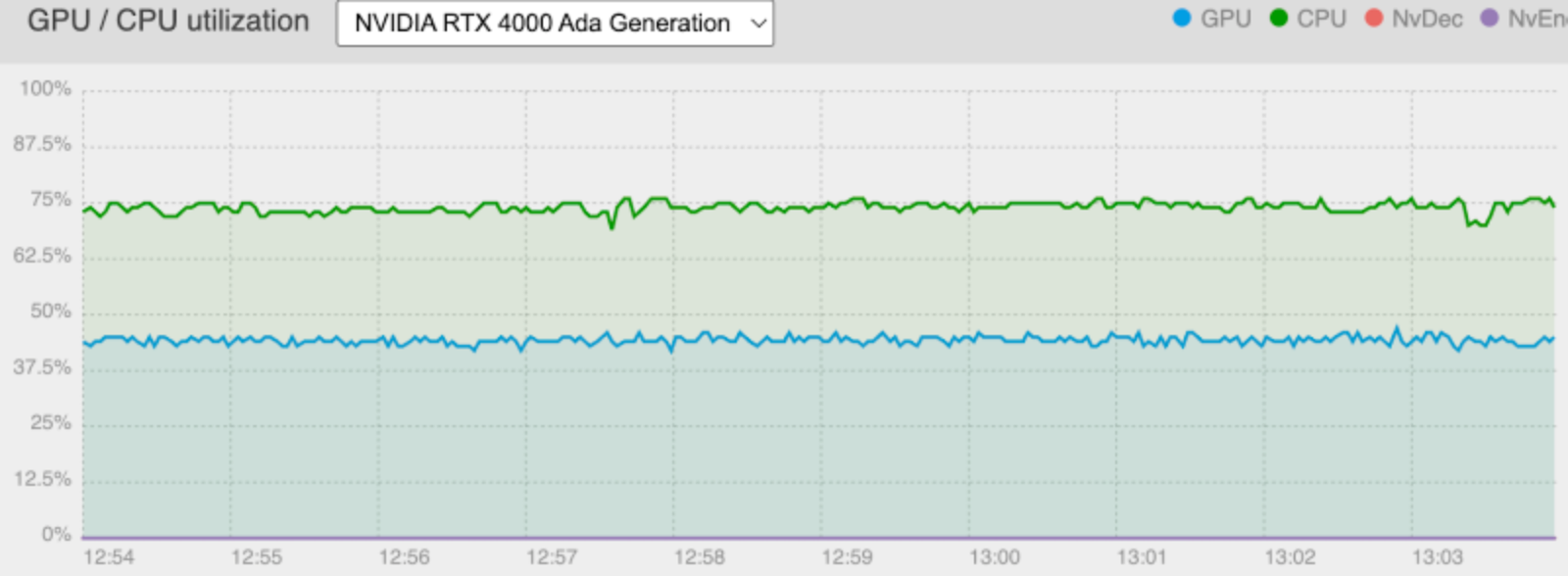
As Twenty-One Encoder is a software defined product, optimizations are always being added into newer software releases. Please ensure you are up to date with the latest release for maximum density & reliability.
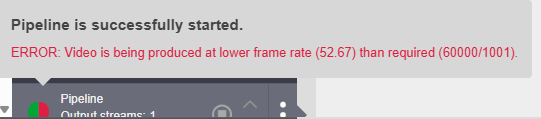
For some use cases, such as H.264 10-bit (CPU based encoding) whereby the memory throughput of the Appliance is not yet actively exposed to the user, frame drops can occur if the memory throughput is too high yet CPU utilization is nominal. This is the red warnings on the output (right) side of the pipeline status. Frequently check the pipeline status when adding new pipelines or frequently poll the pipeline status using the REST API.