Configuring HLS input
To set up an HLS input stream, the first thing you need to do is to navigate to the Input stream source and set the type as HLS and just beneath it, fill out the URL address (example of a stream URL: http://source.example/file.m3u8). If you have provided a valid URL, Twenty-one encoder will ingest the input stream and autodetect contents which you then can confirm and later set an output stream.
You also must configure the Buffer size. We recommend using a value 7 to 10 times higher than the length of the HLS segment. At start, you will have to wait the set amount for the video to buffer before you can see any output. Make sure that the buffer is not too short (e. g. single-digit duration of it), since it may cause buffering due to an unstable network.
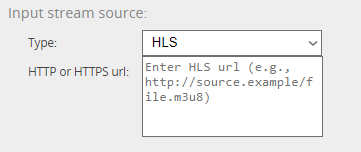
If you want to use a hostname instead of an IP address in the URL, you need to set an appropriate DNS server and if it’s in the external network, the set Default route needs to have access to the Internet (both can be done in the Setup, more about that in the section 2.1)