Version management
You can access Version management by clicking the Version management option under the Setup mouseover. You can select from uploaded upgrade files, which you need to obtain from your supplier first. Select the version you are interested in and click the Perform upgrade button. After that, you will be asked whether you want to restart the server right away or do it later.
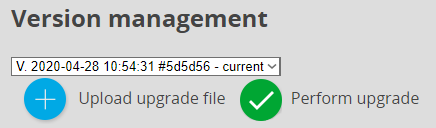
You are also able to change the version to an older release from the drop-down menu.